
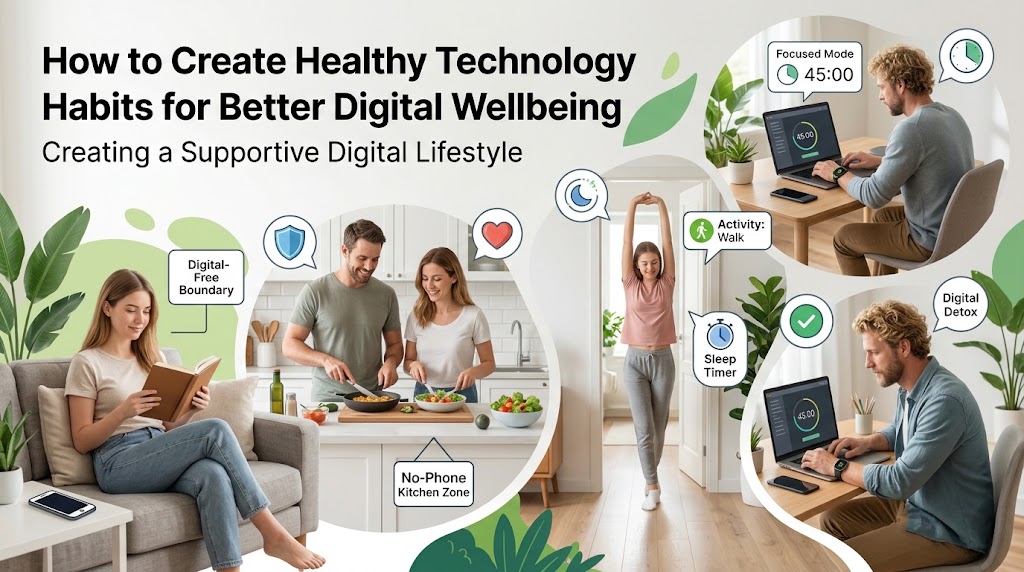
Technology has transformed the way we work, communicate, learn and relax. From smartphones and social media to streaming platforms and AI tools, digital services are now woven into everyday life.
That convenience, however, can make it difficult to recognise when technology starts taking too much of our attention.
The answer is not necessarily to give up technology. Instead, it is about developing healthier technology habits that allow digital tools to support your lifestyle without constantly interrupting it.
According to Ofcom’s latest research on online habits, UK adults spent an average of 4 hours and 30 minutes online each day, while smartphone users used an average of 41 apps every month.
Digital wellbeing is therefore less about avoiding technology altogether and more about developing habits that help you use it deliberately.
What Is Digital Wellbeing?

Digital wellbeing is about using technology in a way that supports your overall quality of life.
A healthy digital routine should leave room for:
- Sleep and recovery
- Physical activity
- Concentration
- Relationships
- Work-life balance
- Hobbies
- Time outdoors
- Relaxation
- Personal boundaries
There is no single amount of screen time that automatically defines a healthy or unhealthy lifestyle. What matters is what you are doing online, why you are doing it and what that activity is replacing.
For example, spending an hour completing an online course is very different from spending an hour automatically scrolling through social media.
8 Healthy Technology Habits to Try
1. Understand How Much Time You Spend Online
The first step towards healthier technology habits is understanding your current behaviour.
Most smartphones include screen-time or digital wellbeing features that show how long you spend on individual apps, how often you unlock your phone and which services receive the most attention.
This can reveal habits that are easy to overlook. For example, checking social media for a few minutes several times a day can accumulate into hours of screen time.
Ofcom’s research found that 18–24-year-olds spend an average of 6 hours and 20 minutes online each day, considerably more than the average across UK adults.
Rather than immediately setting strict limits, spend a few days observing your behaviour.
Ask yourself:
- Which apps take most of my time?
- When do I use my phone most?
- Do I check it automatically when bored?
- Does screen time interfere with sleep or work?
- Which online activities are genuinely useful?
Once you understand your habits, it becomes easier to decide what needs changing.
2. Create Phone-Free Spaces and Turn Off Unnecessary Notifications
Notifications constantly compete for attention. While some alerts are essential, many are simply reminders that another app wants you to look at it.
Consider disabling non-essential notifications from:
- Social media
- Shopping apps
- Games
- Promotional services
- News apps
- Entertainment platforms
You can also introduce phone-free spaces at home, particularly around meals, bedrooms and family activities.
This can be particularly helpful for children and teenagers. Guidance on children’s digital safety and screen time provides practical ideas for creating healthier boundaries around connected devices.
The latest research into children’s online behaviour shows why these boundaries matter. Ofcom found that children aged 8–14 spend almost three hours online each day, with 13–14-year-olds spending around four hours online daily across smartphones, tablets and computers.
The goal is not to remove technology from family life, but to make sure it does not dominate every part of it.
3. Protect Your Sleep from Late-Night Screen Use
One of the easiest technology habits to overlook is using a phone immediately before bed.
Scrolling through social media, checking messages or watching videos can turn a short bedtime routine into another extended period of screen use.
The NHS’s advice on getting better sleep recommends avoiding electronic devices for at least an hour before bed as part of a healthy sleep routine.
Research from the American Academy of Sleep Medicine on bedtime screen use found that 50% of adults use a screen while in bed every day. Its survey also found that 38% of adults said using a phone or tablet to consume news or current affairs before bed made their sleep slightly or significantly worse.
Try creating a consistent 30–60-minute screen-free period before going to sleep.
Instead of scrolling, you could:
- Read a physical book
- Prepare clothes for the next day
- Listen to relaxing music
- Stretch
- Journal
- Talk with family
- Practise a relaxing bedtime routine
A phone-free bedroom can also make it easier to resist the temptation to check notifications during the night.
4. Make Social Media More Intentional
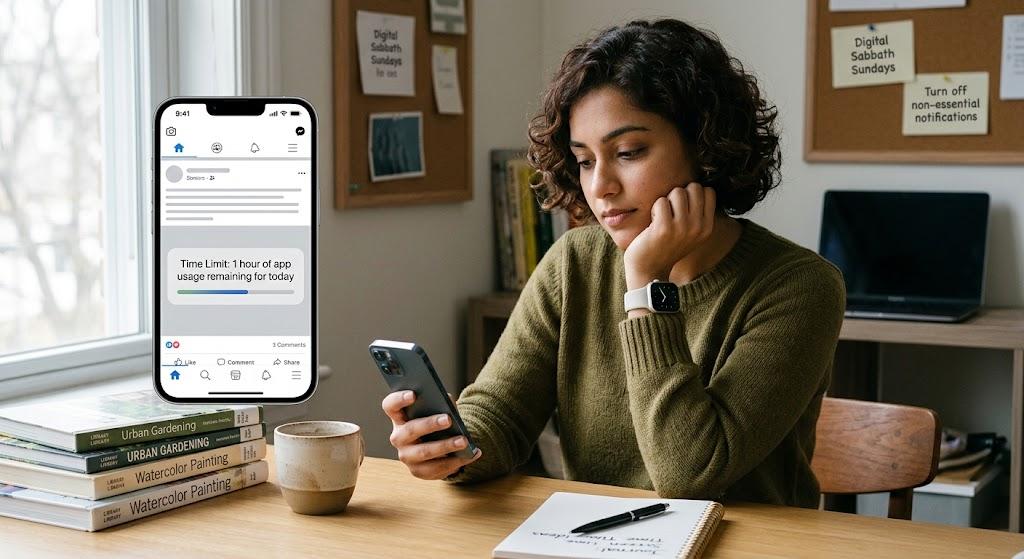
Social media can be valuable. It helps people maintain relationships, discover information, participate in communities and follow their interests.
The problem often comes from automatic rather than intentional use.
The Mental Health Foundation’s guidance on healthier online environments highlights concerns around harmful content, addictive design, misinformation and algorithms, while also emphasising the importance of developing healthier online behaviours.
Try making your social-media use more deliberate by:
- Unfollowing accounts that negatively affect your mood
- Muting unnecessary conversations
- Removing apps you rarely use
- Setting app limits
- Keeping social apps away from your home screen
- Taking regular breaks
- Avoiding social media immediately after waking
It can also help to ask:
“Why am I opening this app?”
If you do not have a clear answer, consider putting the phone down and doing something else.
5. Protect Your Focus While Working and Studying
Technology can make us more productive, but it can also fragment our attention.
A laptop may be essential for work while the same device provides access to email, social media, shopping, entertainment and countless notifications.
Try creating periods of focused digital work.
For example:
45 minutes of focused work → 10-minute break → repeat.
During the focused period:
- Silence unnecessary notifications
- Close unrelated browser tabs
- Put your phone away
- Avoid checking personal messages
- Work on one task at a time
Technology can also support education when it is used purposefully. Resources on education technology and digital learning demonstrate how digital tools can support learning, organisation and access to educational resources.
The distinction is important: being on a screen is not automatically unproductive.
The quality and purpose of the activity matter.
6. Replace Passive Screen Time with Offline Activities

Reducing screen time becomes much easier when you have something meaningful to replace it with.
Instead of automatically reaching for your phone during a spare ten minutes, try:
- Walking
- Reading
- Cooking
- Gardening
- Exercising
- Meeting friends
- Listening to music
- Drawing
- Writing
- Spending time outdoors
The World Health Organization’s physical activity recommendations encourage adults to complete at least 150 minutes of moderate-intensity physical activity each week, while also reducing sedentary behaviour.
A digital break can therefore become an opportunity to move more.
Simple digital detox techniques can include creating screen-free periods, spending time outdoors, developing offline hobbies and deliberately stepping away from connected devices.
The objective is not to make technology the enemy. It is to make sure there is enough space for activities that do not require a screen.
7. Use Technology to Support Your Wellbeing
Healthy technology habits do not mean avoiding every digital tool.
Technology can also support healthier routines when it is used with a clear purpose.
For example, you can use digital tools to:
- Track physical activity
- Set movement reminders
- Monitor sleep
- Follow exercise programmes
- Practise meditation
- Learn new skills
- Organise appointments
- Maintain relationships
Digital wellbeing is therefore not simply about reducing screen time.
It is also about improving the quality of the time you spend online.
A wellbeing app that encourages you to exercise or meditate serves a very different purpose from an app designed to keep you scrolling indefinitely.
Research into online wellbeing also shows that digital spaces can have positive effects. The Mental Health Foundation notes that online communities can provide connection and support, while also warning that harmful online environments can negatively affect mental health.
Technology can also make your free time more meaningful. For example, you could use AI tools to discover new travel destinations, plan a food-focused day out or find ideas for activities you might enjoy. Resources such as AI tools for blogging can also demonstrate how digital technology can be used creatively to learn, plan and explore new interests.
8. Take Regular Digital Breaks and Review Your Habits
You do not need to wait for a holiday to disconnect.
Small digital breaks can become part of your normal routine.
Try introducing:
A screen-free morning: Have breakfast or take a walk before checking your phone.
A phone-free lunch: Eat without scrolling or watching videos.
A screen-free evening: Read, cook or spend time with family.
A weekend digital break: Put your phone away for several hours and focus on offline activities.
Regular reviews are useful because technology habits change.
An app that was once useful may gradually become a source of distraction. A social platform that once helped you connect with friends may start consuming too much of your attention.
Recent guidance from the Royal College of Paediatrics and Child Health on social media and young people’s wellbeing highlights the growing attention healthcare professionals are giving to the relationship between online activity and children’s wellbeing.
This reinforces the importance of regularly reviewing digital habits, particularly for younger users.
A Simple 7-Day Digital Wellbeing Challenge
If changing all eight habits feels overwhelming, start with one week.
Day 1: Check your screen-time report.
Day 2: Turn off unnecessary notifications.
Day 3: Have one phone-free meal.
Day 4: Complete one focused work or study session without checking your phone.
Day 5: Stop using your phone 30–60 minutes before bed.
Day 6: Spend at least one hour doing something offline.
Day 7: Review the changes and identify which habits genuinely improved your day.
You do not need to maintain every rule permanently.
The purpose is to discover which boundaries help you feel more focused, rested and present.
We’re Better Off Together!
At Better Off Magazine, we believe that sharing practical ideas, useful advice and positive experiences can help everyone live better and make more informed choices. Together, we can create a supportive community where readers discover helpful tips, wellbeing insights and simple ways to improve everyday life.
You can register on our platform to become a contributor and subscriber, or get in touch with us to explore how we can work together to make a positive difference.
Author Profile

- Manuela is often busy typing away, but she also loves embracing the digital nomad lifestyle, exploring her favorite city, London, and traveling to experience new cultures and countries.
Latest entries
 being-healthyAugust 19, 2026How to Create Healthy Technology Habits for Better Digital Wellbeing
 being-smartJuly 21, 2026Smart Budgeting: Apply the 50/30/20 Rule to Improve your Life
 being-smartJuly 17, 2026The Smart Football Tactics of the Late Surge: How Argentina Reached The World Cup Final 2026
 being-creativeMay 21, 2026Best Magazine Ideas for Startups: What Every Founder Should Be Reading in 2026
💰 New Message from Coinbase. READ >> graph.org/YOU-HAVE-A-NEW-BITCOIN-TRANSFER-FROM-COINBASE-08-27?hs=da4c1a57f5921c80138c8de9553cd38d& #UN8455 💰
💹 New Message from Coinbase. READ 💥➜ graph.org/YOU-HAVE-A-NEW-BITCOIN-TRANSFER-FROM-COINBASE-08-27?hs=da4c1a57f5921c80138c8de9553cd38d& #XC4566 💹
📖 Transfer № Q9803 from Coinbase. NEXT -> graph.org/Bitcoin-Mining-08-27?hs=da4c1a57f5921c80138c8de9553cd38d& 📖
So,I like it
I like this
An Engaging Blog Post
WOW,Very wonderful
The content is really great
I AM BACK AGAIN
That was amazing
Hi,how are you
Its Amazing
If you are mad at me, just curse me out